Saturday, August 22, 2009

Who invented worms virus?


If you know nothing of a computer,but you might have heard about virus "worms" something like that."worms" is very destructive and very dangerous causing the systems to slow down.

You have to blame Robert Tappan Morris for this all.


Don't blame him much because he did it not on purpose if he wouldn't somebody would have done it.If any country creates a worm and spreads it to anothers and it takes down they can't have secured the data if Robert had not found it.They wouldn't have found how to stop worms.

Back in 1988,while a graduate student at Cornell Unviersity,Morris created the first worm and realeased it on the Internet.He claimed it was all an experiment gone wrong,a test to see how big the new Internet was.The worm turned out to be more that a test:It replicated quickly,slowing computers to the point of non-fucntionality and virtually cripping the Internet.He was eventually fined and sentenced to three years probation.

Since then,he has earned his Ph.D. from Harvard and made millions designing software.Today , he is a computer science professor at MIT.Not Bad....

Source : discovery news

Dogs can speak now...


Your dog will soon start talking to you,all thanks to japanese technology what a great invention.It converts the dogs bark emotion to works.
With this we can what dog is thinking to do.
The talking gadget called
"Bowlingual voice" is developed by japanese toymaker Takara Tomy.


It detects 6 motions and including sadness,joy and frustration with a recorded reprtoire of spoken phrases such as "play with me".

The revolutionary gadget comprises of a microphone place around the dog's neck and a hand-held unit operationg device for pet owners to carry.reports the Telegraph.

When the dog barks,the microphone records the sound and transmits the data to the owner's hand-held device,which then "translates" it into what the dog is apparently suggesting.

A speech synthesizer audibly makes the owner aware of the dog's intentions, which also appears in the screen of the wireless hand-held unit.
An answering machine function can also record the dog's expressions of desire when owners are absent.
The technologically modified version of a basic model introduced seven years ago will be available for 129 pounds in japan from next month.

The original Bowlingual translated emotions onto a screen without sound

Source:news.yahoo.com


Color in Command Prompt


The maximum colors you get in command prompt are
show in the figure and


the command used is
"color (back ground color value)(fore ground color value)"


to see all the possible ways of getting it is using this command


C:\>color 123
Sets the default console foreground and background colors.

COLOR [attr]

attr Specifies color attribute of console output

Color attributes are specified by TWO hex digits -- the first
corresponds to the background; the second the foreground. Each digit
can be any of the following values:

0 = Black 8 = Gray
1 = Blue 9 = Light Blue
2 = Green A = Light Green
3 = Aqua B = Light Aqua
4 = Red C = Light Red
5 = Purple D = Light Purple
6 = Yellow E = Light Yellow
7 = White F = Bright White

If no argument is given, this command restores the color to what it was
when CMD.EXE started. This value either comes from the current console
window, the /T command line switch or from the DefaultColor registry
value.

The COLOR command sets ERRORLEVEL to 1 if an attempt is made to execute
the COLOR command with a foreground and background color that are the
same.

Example: "COLOR fc" produces light red on bright white

this is what it displays
chect the above command then you will get a clear idea of it
"COLOR cf"

you will know evertything with it

Friday, August 21, 2009

Can we use any os in other?


The question is can we use multiple os at a time.
Yes we can do it.....

But our requirements are a live cd image of any os that you want to use Live cd is nothing but at the boot time when we place the cd we can use the o
s without any modifications and if you like it you can inst
all if you want to.There are several live cd's.The main fault of it is the data won't be stored in
it because it is not occuping any place in your harddisk.It is just using the RAM(Random Access Memory).
The virtualbox is the software released my SunMicro Systems.This software provides a virtual system like environment.Here the software uses t
he features of your PC and it recreates a new virtual pc.Here you can save the information.It works well i have tested it.

You can downl0ad virtual box from this link

Click the link and select the option which fits for your pc.

Here i am going to show everything step by step procedure .
How to use it?
The installation procedure:

first you have to have virtual box software or you can download it from the link give above
download it based on your system configuration.

First step:
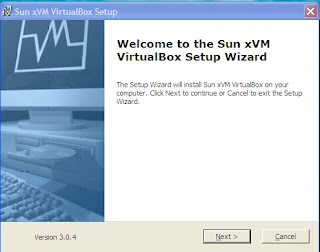
Double-click the downloaded sunvirtualbox software


Now we go to step 2
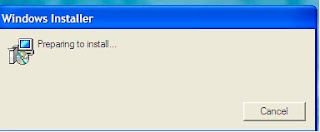


step 3:


click on next
step 4:


click i accept and click next
step 5:


click next
step 6:


click next

step 7:


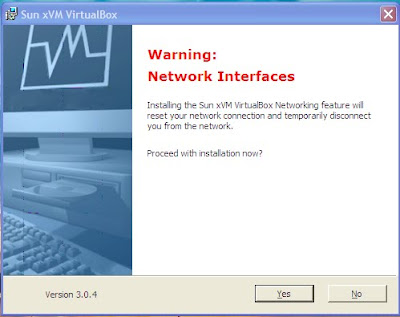
click on yes this is used to make a lan like for the virtual box
step 8:


click on install
step 9:


step 10:


This is will be displayed on the desktop during this work is going on don't double click untill the installation is completed
step 11:


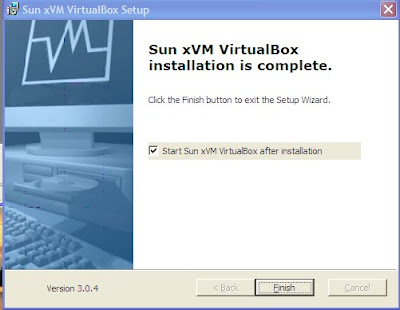
click on finish
step 12:


step 13:


click on new
step 14:


click on next
step 15:


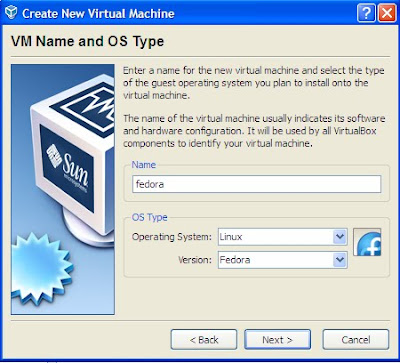
type the name as your wish and os type
operating system as which you are using
and version as per yours
click on next
step 16:


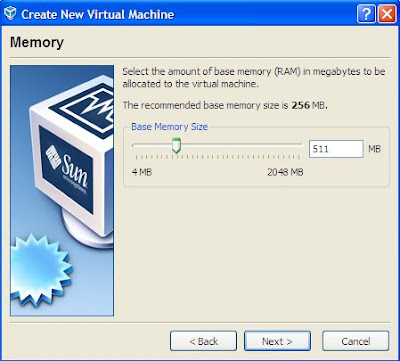
set the ram half of your orginal ram if you have 1 gb ram then alocate to it less than 512 mb
click on next
step 17:


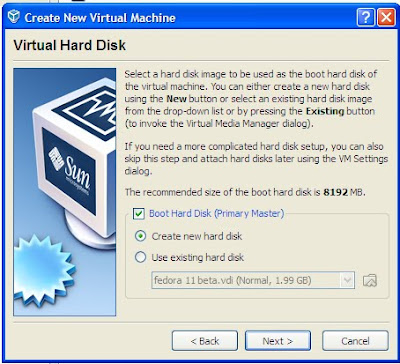
click on create new harddisk and click on next
it creates your system memory as a seperate hard disk virtually it doesnot affect any of your system
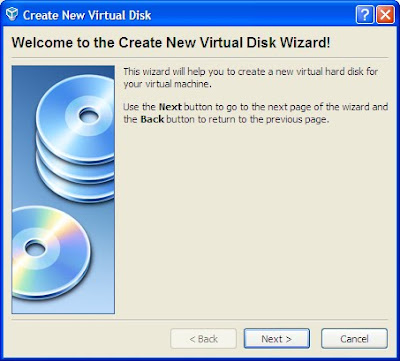
step 18:


click on next
step 19:
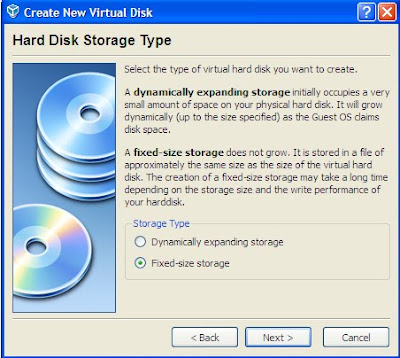


click on fixed size storage or dynamically expanding storage if you don't want to increase the size then fix to fixed size storage here i am showing fixed size storage
now click next
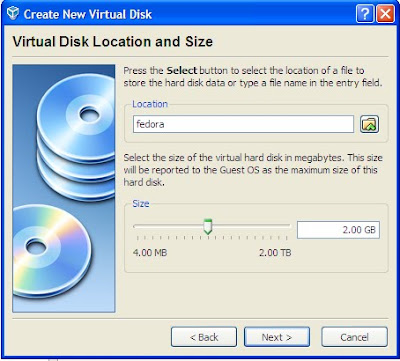
step 20:


here i am alocation 2gb as per which os i want to use i am using fedora live so i kept it as 2 gb for live cd's 2gb would be enough click on next


step 21:
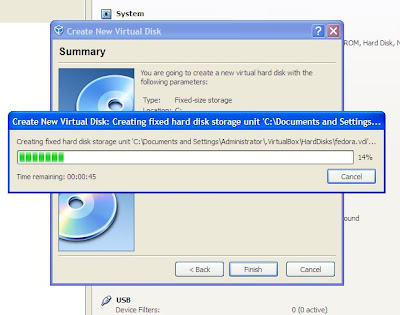


click on finish
step 22:


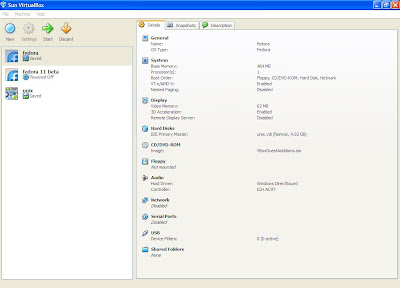
it will be showing like this in the virtual box
powered off
and the name given at the beginning

step 23:


click on settings now


step 24:


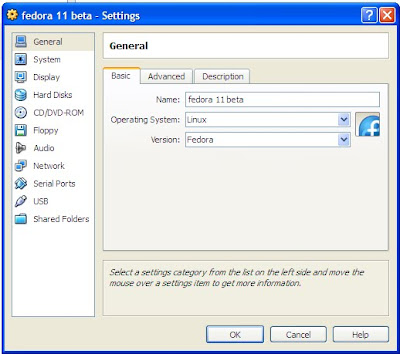
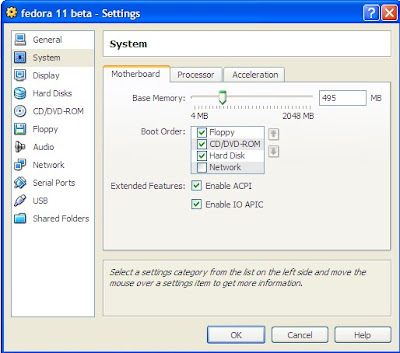
now you will get like this window and here you need to keep the settings
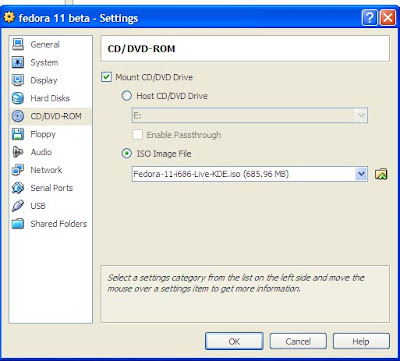
now do everything as per figures
step 25:


step 26:


step 27:


step 28:


here in the above figure you should have a iso file of the live cd you have and you must browse it and show the location of it


step 29:


step 30:


step 31:


step 32:


step 33:


step 34:


step 35:


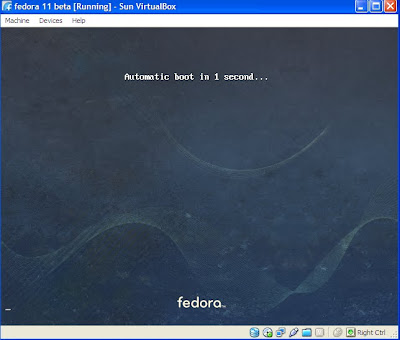
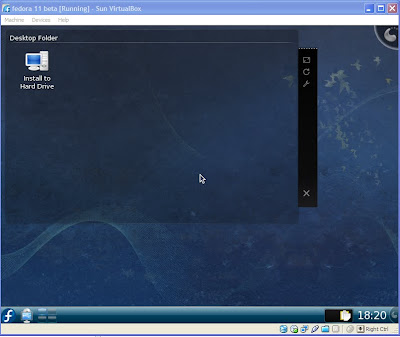
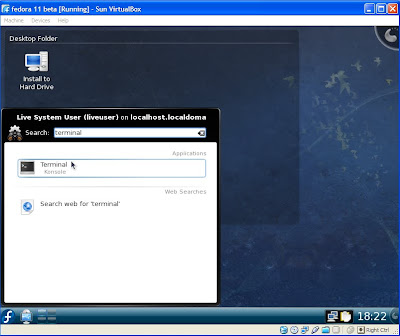
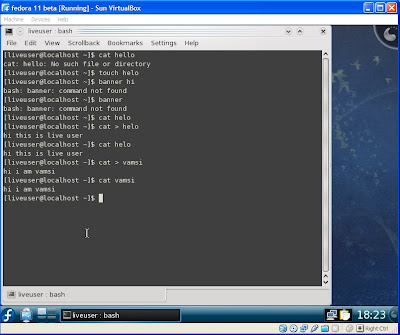
And now your are done but i will show that it works well


step 36:


step 37:


step 38:
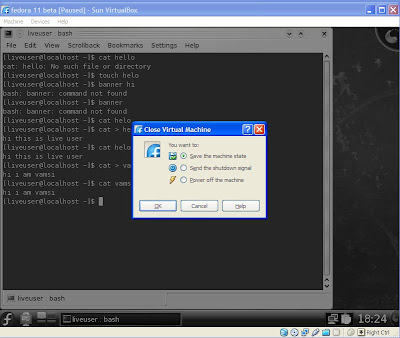


now here is the most important thing
when you are first using it just poweroff the machine do it for few times untill you get it correctly
and next time onwards you can save the machine state.


step 39:
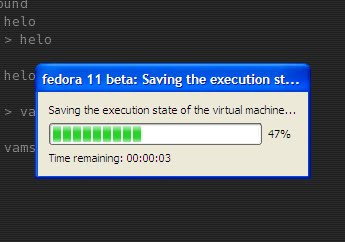


step 40:


now you will see it like this

step 41:
the final thing
is also the very beginning thing


select on the machine you want to start and click on start


If you get any kind of errors then just mail me
see my email id in my profile